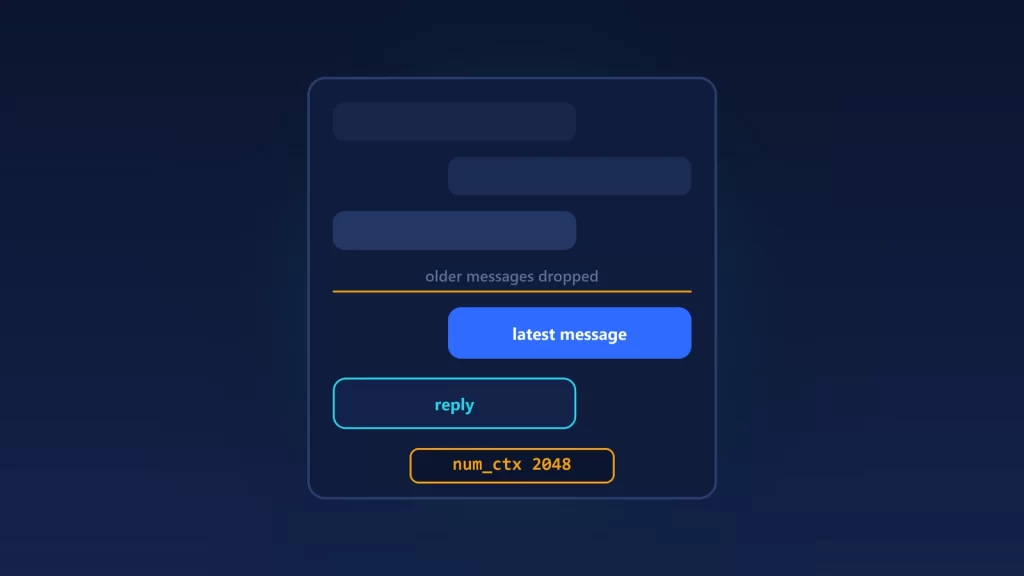
If Open WebUI gives worse answers than the same model in ollama run, forgets what you said ten messages ago, or seems to ignore your documents, check the context length before you change models. Open WebUI can send its own num_ctx to Ollama, and that value overrides whatever you set on the Ollama server. If you switched the control on and left it alone, the value is 2048 tokens. Even without it, Ollama defaults to 4,096 tokens on GPUs with less than 24 GiB of VRAM, and that’s tight for long chats, documents and tools. When the context is too small, Ollama quietly drops the oldest messages. Here’s how to tell which setting is in charge and how to fix it.
What each symptom usually means
| What you see | Most likely cause | Where it happens |
|---|---|---|
| The model forgets earlier instructions or facts in a long chat | Ollama dropped the oldest messages to fit the context | Ollama |
| Blank reply, or raw tool-call JSON instead of a tool result | Tool schemas don’t fit; often the 2048 pre-fill | Open WebUI setting, Ollama limit |
| An error that the input is larger than the context | A single message, often with a whole document attached, is bigger than the window | Ollama |
| The answer ignores most of a document | Retrieval sent only a few chunks, or the context couldn’t hold more | Open WebUI retrieval |
| The first reply after switching chats or apps is slow | A different num_ctx forced Ollama to reload the model |
Ollama |
Open WebUI’s own context documentation says it does “not silently truncate your conversation” unless you turn on its optional context compaction. The trimming happens one layer down. When you add Ollama as an Ollama connection, Open WebUI talks to it through Ollama’s /api/chat endpoint, as its source code shows. Ollama’s chat code removes messages from the start of the conversation until the rest fits. It always keeps the system prompt and the latest message, and it only logs this at debug level, so nothing tells you it happened.
Step 1: find out if Open WebUI is sending num_ctx
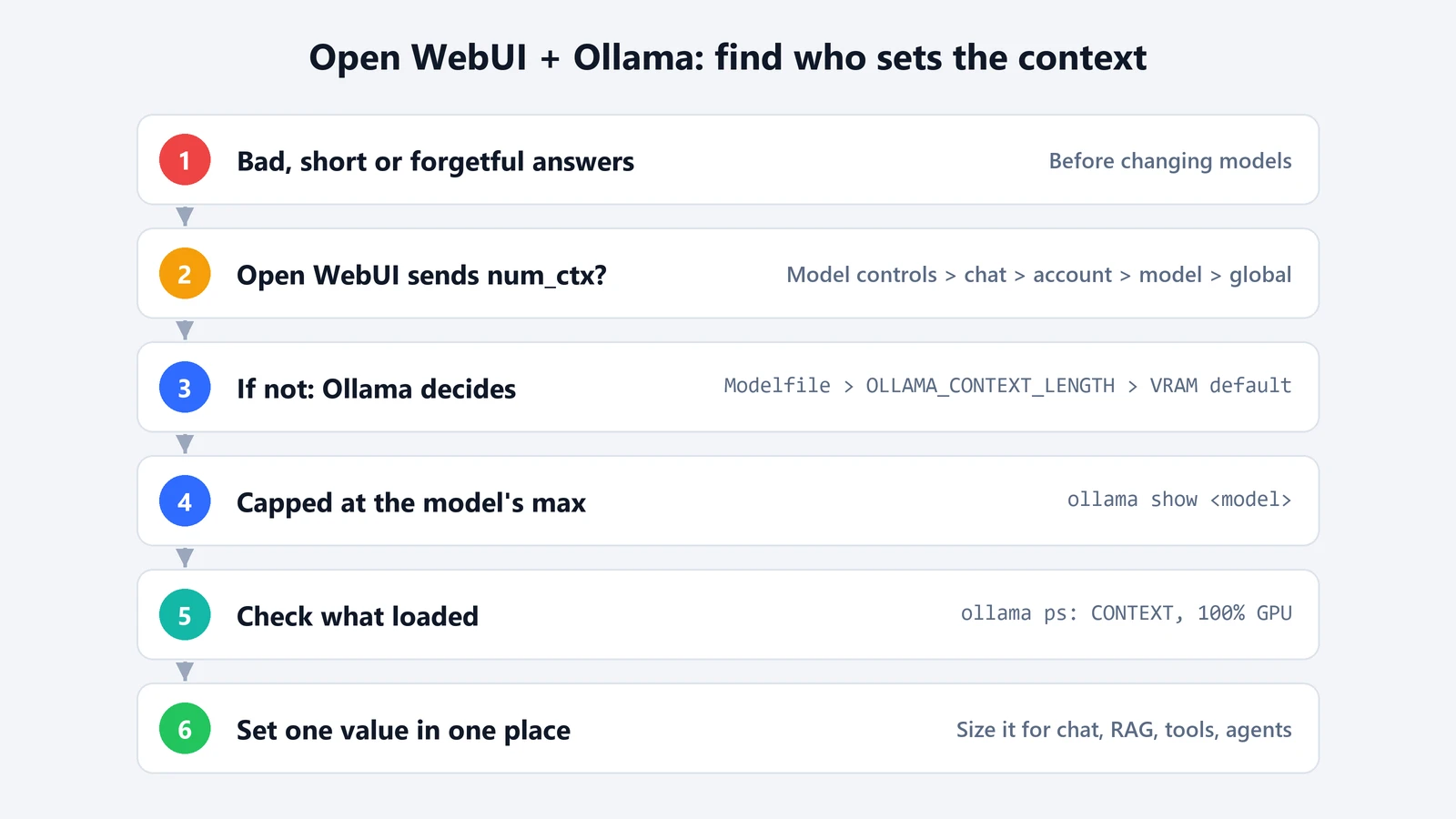
The Open WebUI guide to Ollama is blunt about this. num_ctx is unset by default, so Ollama’s own setting applies. But if num_ctx is set anywhere in Open WebUI, it’s sent with every request and “overrides the server’s OLLAMA_CONTEXT_LENGTH.” And turning the control on pre-fills 2048, which the docs call “very small.”
Open WebUI can set it in several places. According to its docs on chat parameters and models, the value that wins is the most specific one:
- Model controls, if an admin has set them up for the model, sit above everything else.
- Chat Controls > Advanced Params in the current chat.
- Your account’s Settings > General advanced parameters.
- The model’s Advanced Params in the model editor, set by an admin.
- Global Model Defaults, under Settings > Admin > Models > Model Defaults.
Check each one for a context length value, starting with the chat you’re in. A 2048 left over in any of them caps every request at that level. Even a large value changes things: as long as it’s set, Ollama’s server-side default doesn’t matter for those requests.
Step 2: check what Ollama would use on its own
If Open WebUI sends nothing, the choice is Ollama’s. We covered this in detail in our guide to Ollama context length. In short, a num_ctx in the model’s Modelfile wins. Without one, OLLAMA_CONTEXT_LENGTH applies. Without that, the default depends on VRAM: 4,096 tokens below 24 GiB, 32,768 from 24 to 48 GiB, and 262,144 at 48 GiB or more. Whatever the source, Ollama never goes above the model’s trained maximum.
The Open WebUI docs recommend one of two clean setups:
- One default for every model. Set
OLLAMA_CONTEXT_LENGTHon the Ollama server and leavenum_ctxunset everywhere in Open WebUI. - Per model or per chat. Set
num_ctxin Open WebUI to a realistic value such as 8192, 16384 or the model’s maximum, knowing it overrides the server.
Step 3: confirm the context the model actually got
Don’t trust the sliders. Send a message from Open WebUI, then on the machine running Ollama, run:
ollama psThe CONTEXT column is the context the loaded model is using right now. The PROCESSOR column should say 100% GPU. If it shows a CPU/GPU split, the bigger context pushed part of the model out of VRAM, and replies will be slower. If Ollama runs in Docker, run the same command inside its container with docker exec.
Watch for one side effect. Ollama’s scheduler reloads a model when a request asks for a different context than the one it’s loaded with. If Open WebUI sends 16384 and another app on the same server sends nothing, they can keep reloading the model back and forth, and the first reply after each switch is slow. Using the same value everywhere avoids that.
Step 4: size the context for what you’re doing
The context has to hold everything in one request: the system prompt, the chat history you want kept, retrieved document text, tool definitions and the answer. Some practical points:
- Documents (RAG). By default, Open WebUI puts retrieved text into your message, not the system prompt (RAG_SYSTEM_CONTEXT is off). Because Ollama always keeps the latest message, the retrieved text survives, and the older history goes instead. With the default settings, retrieval sends the top 3 chunks, each about 1,000 characters, from each attached file or knowledge base. If answers ignore most of a long document, the RAG troubleshooting guide suggests Full Context Mode or bypassing retrieval, plus a larger context. Full Context Mode can make a single message bigger than the window. Since Ollama v0.30.9, that gives you an error instead of a truncated prompt.
- Web search. The same guide says a single web page can take 4,000 to 8,000 tokens or more, and recommends at least 8192, with 16384 or more being ideal.
- Tools. With native function calling, the tool definitions go into the prompt. The docs say that at 2048 tokens the model can return a blank response or print the tool call as raw JSON. If that happens, raise the context before you blame the model’s tool support.
- Agents and coding tools. Ollama’s own recommendation is at least 64,000 tokens.
Each step up costs memory. On Llama 3.1 8B, the cache needs about 0.5 GiB at 4,096 tokens and 4 GiB at 32,768, on top of the model itself. Our Ollama context guide has a table for six models and the settings that shrink the cache. If you’re working with 16 GB of memory, our guide to what fits in 16 GB shows where that budget runs out.
When it isn’t the context
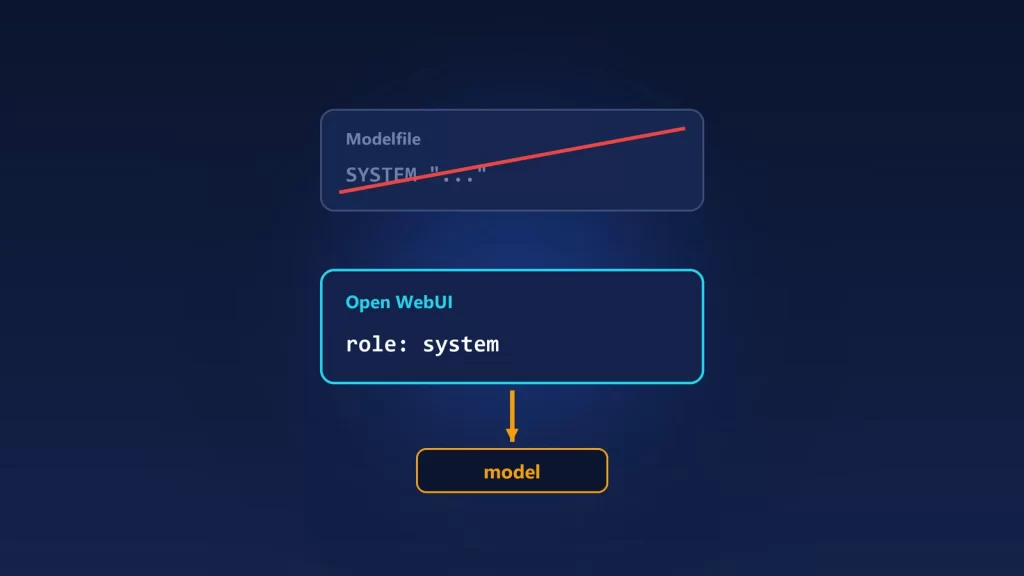
If ollama ps shows a context that comfortably fits your chat and the answers are still worse than in ollama run, compare the other settings. A system prompt set on the model or the account, a different temperature, or a different model tag can all change the answers. Open WebUI sends whatever is set at each level, while ollama run uses the model’s Modelfile defaults. That’s the next thing to line up.