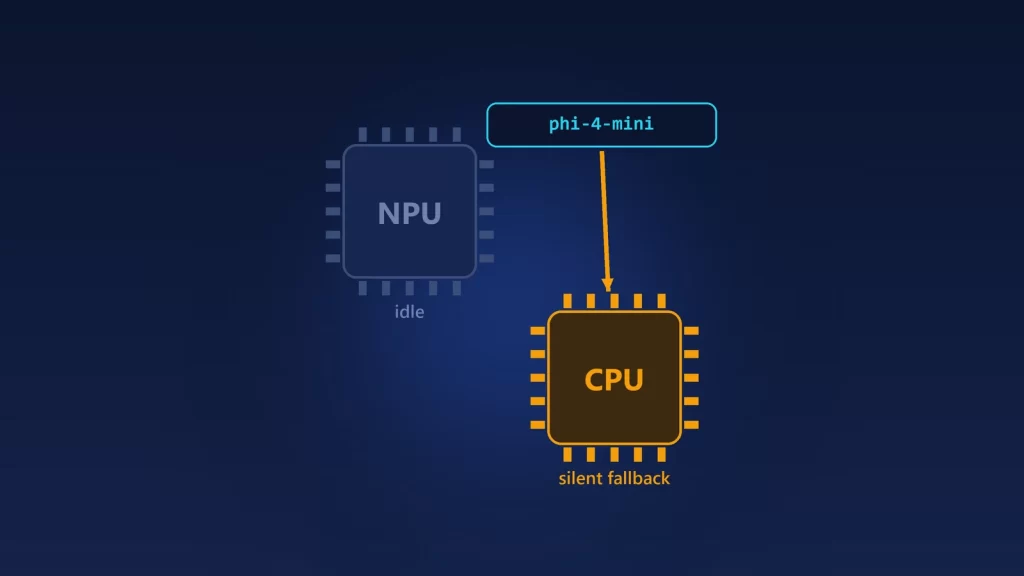
If Foundry Local shows only CPU models on a Copilot+ PC, or runs a model by its short name and the NPU stays idle, your NPU is most likely fine. The usual cause is that the NPU’s execution provider never got downloaded or registered. Without it, Foundry Local hides the NPU versions of its models and quietly picks a CPU version instead. Microsoft’s documented fixes are to finish any Windows Update that’s waiting for a restart, resume paused updates, and on a work PC, check whether policy blocks the download. Updating to Foundry Local CLI 0.10.3 or later also matters, because it fixed a bug that hid non-CPU models. This guide checks each layer in order, so you can tell which one is failing.
Four things that have to line up
“My PC has an NPU” and “my model runs on the NPU” are four separate facts:
- The hardware is present, and Windows has a working driver for it.
- The execution provider is available. An execution provider, or EP, is the vendor library that lets the runtime use a chip: QNN for Qualcomm, OpenVINO for Intel, VitisAI for AMD NPUs, plus GPU providers such as TensorRT-RTX for NVIDIA. Microsoft’s Windows ML documentation says these providers aren’t built in. They’re downloaded on demand on Windows 11 24H2 and later, “depending on device and driver compatibility.”
- A matching model variant exists in the catalog. Each model comes in versions for different hardware. NPU versions have IDs ending in
-qnn-npu,-openvino-npuor-vitis-npu, and CPU versions end in-cpuor-generic-cpu. - The variant you meant is the one selected. When you run a model by its alias, its short name, Foundry Local picks a variant for you.
A failure at step 2 hides step 3 and changes step 4. That’s why people think the NPU is broken when it isn’t.
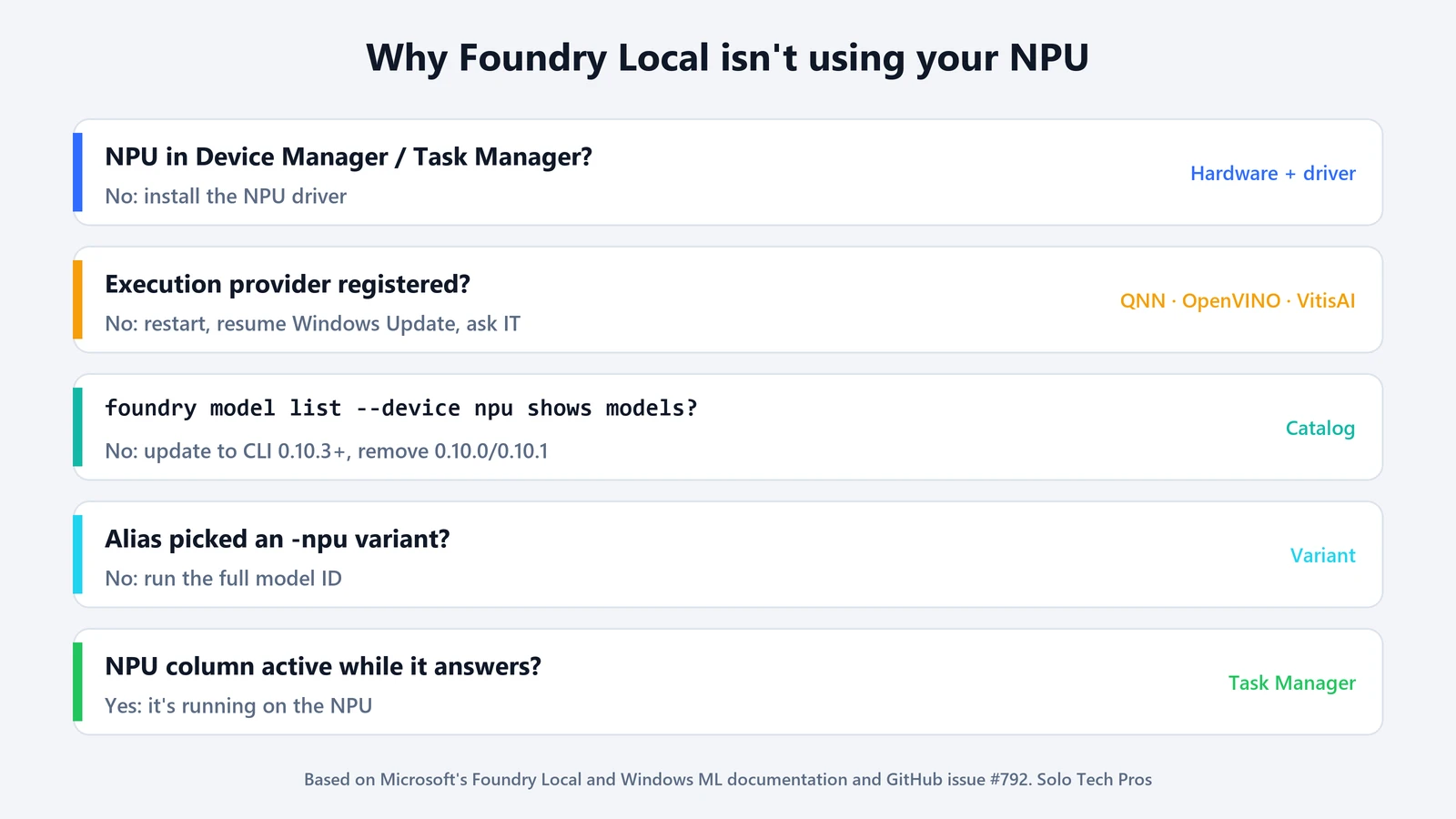
Step 1: confirm Windows sees the NPU
Open Device Manager and look for a Neural processors category, as Pureinfotech’s guide describes, with your NPU listed and no warning icon. In Task Manager, the Performance tab should show an NPU. If neither shows it, the problem is the driver or the hardware, not Foundry Local. Install the NPU driver from your PC maker or chip vendor before going further.
Driver versions matter too. Microsoft’s Foundry Local CLI reference lists a minimum for each execution provider. Snapdragon X Elite and X Plus NPUs need driver 30.0.140.0 or later. For Intel NPUs, Microsoft lists Arrow Lake (15th generation) and later, with driver 32.0.100.4239 or later. AMD lists a supported range of Adrenalin and NPU driver versions, with both a minimum and a maximum.
Step 2: check whether the execution provider registered
Foundry Local downloads the providers for your hardware the first time you run foundry model list, with a progress bar per provider. You’ll also see them when the local server starts:
foundry server restart
foundry status
If a provider fails, the logs from foundry server logs can show a line like Failed to download or register the following EPs, followed by a provider name. That’s the case covered by Microsoft’s tracking issue for missing NPU and GPU models.
A Foundry Local maintainer explains in that issue that the download goes through Windows Update, so “anything blocking Windows Update blocks the EP.” The Windows ML troubleshooting page lists the three common causes:
- A pending restart. Some upstream updates need a reboot before provider downloads resume. Restart, then try again.
- Paused updates. If updates are paused, providers can’t download. Go to Settings > Windows Update > Resume updates.
- A managed PC. Company policy may block component downloads. You can’t sideload the provider, so this one needs your IT team.
Provider updates arrive as their own Windows packages with KB numbers, for example KB5103222 for Intel’s OpenVINO provider. To see which provider packages are installed, a Foundry Local maintainer used this command in the same issue. Run it in an administrator PowerShell window:
Get-AppxPackage -AllUsers "*.EP.*" | Select-Object -ExpandProperty PackageFullNameThat command only lists packages. In the issue, the maintainer also posted a script that removes every provider package so the CLI can download fresh copies. That was advice for one user’s broken install. Use it only if you’ve ruled out everything else.
Step 3: check the catalog and your Foundry Local version
List only the models that can run on the NPU:
foundry model list --device npuIf this list is empty but your providers registered, check your version with foundry --version. The 0.10.3 release notes say it updated the SDK “to fix issues with EP downloads and non-CPU models not showing up,” and several users in the tracking issue confirmed that it fixed their NPU lists. The current CLI is 0.11.0, released October 7, 2026.
There’s one upgrade trap. A maintainer explained that versions 0.10.0 and 0.10.1 used a different package identity, so installing a newer build or running winget upgrade doesn’t remove them. If one is still installed, it can interfere. Remove 0.10.0 or 0.10.1 by hand, then install the current release.
Older guides also use commands from the previous CLI. foundry service start is now foundry server start, and foundry model run is now foundry run.
Step 4: make sure the NPU variant is the one that runs
The CLI reference says an alias “selects the best model for your available hardware.” When several variants exist, foundry model list shows them in priority order, and the first one is the one an alias runs. If the NPU variant is missing from the catalog, the alias still works, just on the next variant, usually the CPU one. The tracking issue calls this a silent CPU fallback.
To see every variant and its execution provider:
foundry model list --variantsTo make sure you get the NPU, run the model by its full ID rather than the alias. For example, run the ID ending in -qnn-npu on a Snapdragon PC. If that variant can’t load, you’ll get an error naming the missing provider, which is more useful than a quiet fallback. One user in the issue saw it requires ‘OpenVINOExecutionProvider’, which is not available, which takes you straight back to step 2.
Step 5: watch the NPU while the model answers
Since Windows 11’s May and June 2026 updates, Microsoft says Task Manager can show NPU activity per process “on some newer devices.” Right-click a column header on the Processes tab and add the NPU and NPU engine columns, then send a long prompt. If the Foundry Local process shows NPU activity while it generates text, you’re done. If it shows high CPU use and no NPU activity, go back to step 4.
Keep in mind that the NPU isn’t always the fastest choice. If you’re weighing it against your GPU, our explainer on NPU vs GPU vs CPU for local AI covers what each one is good at. And if you’re deciding whether Foundry Local is even the right tool, here’s how it compares with the Windows AI APIs and Windows ML.
If none of this works, Microsoft’s issue asks for a Feedback Hub report under Developer Platform > Windows Machine Learning. It collects the provider download logs automatically. The release notes also ask you to attach the output of foundry report when filing a CLI issue.