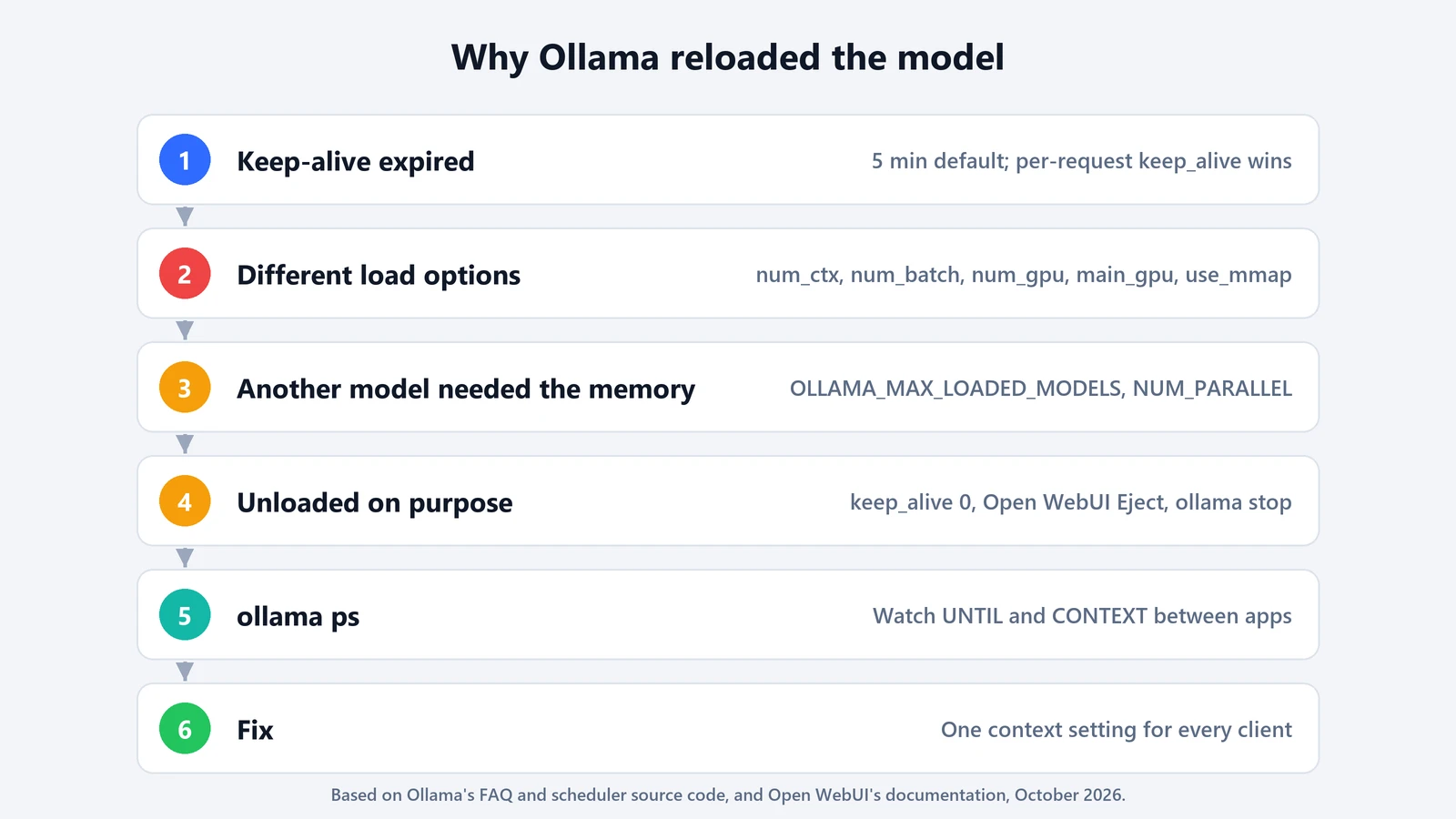
If Ollama keeps reloading a model, with a long pause before the first word, the cause is usually one of four things:
- the model timed out, after 5 idle minutes by default;
- a client asked for different load settings than the copy already in memory;
- another model needed the memory;
- something asked Ollama to unload it.
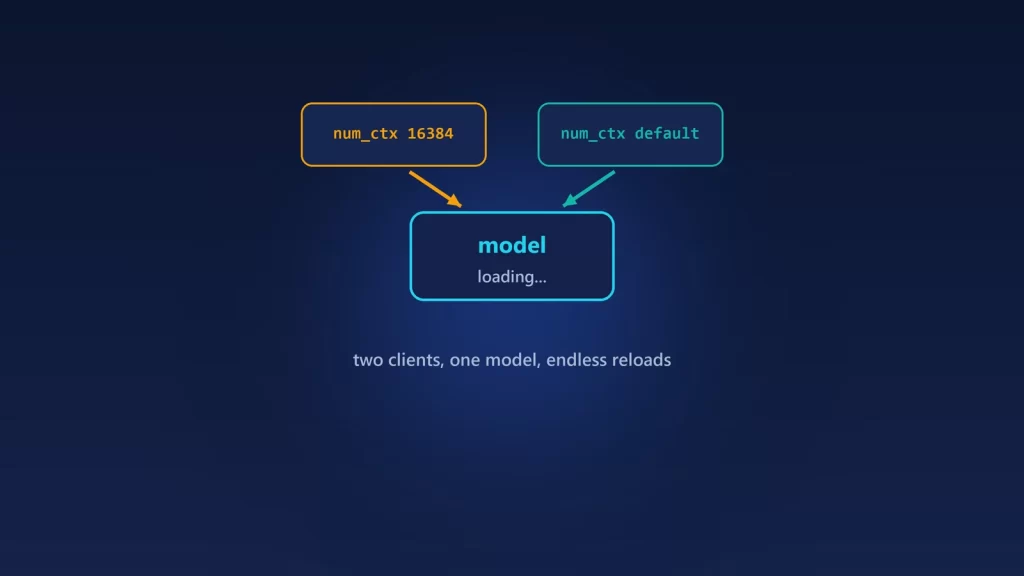
The second cause is the one most guides miss. Ollama reloads when a request asks for a different num_ctx or another load-time option than the loaded copy has, so two apps with different settings can take turns evicting each other. Here’s how to tell which cause is at work, using Ollama’s own code and documentation.
Cause 1: the keep-alive timer ran out
By default, Ollama keeps a model in memory for 5 minutes after its last request, according to the Ollama FAQ and its configuration code. There are two ways to change that:
- For the whole server: set
OLLAMA_KEEP_ALIVE, for example to30m,24h, or-1to keep models loaded indefinitely. Set it where the Ollama server reads it, then restart the server. On Windows, that means a user environment variable, then quitting Ollama from the tray and starting it again. On Linux, it goes in the systemd service. Exporting it in your shell won’t affect a service that’s already running. - Per request: the
keep_alivefield on/api/generateand/api/chat. The FAQ says it “will override theOLLAMA_KEEP_ALIVEsetting,” and the scheduler code does the same: the request’s value wins when it’s present.
That second point explains a classic surprise. You set OLLAMA_KEEP_ALIVE=-1, but a client sends its own keep_alive, so models still unload. Open WebUI, for example, has a keep_alive advanced parameter that it passes to Ollama when it’s set.
Check what Ollama thinks: ollama ps lists loaded models, and its UNTIL column shows when each one will be unloaded.
Cause 2: a client asked for different load settings
This is the cause that looks random. Before reusing a loaded model, Ollama’s scheduler checks whether the request needs it loaded differently. In the current source, its needsReload function compares the runner options of the request with those of the loaded copy, and reloads if they differ. Those options are:
num_ctx, the context length;num_batch;num_gpuandmain_gpu, which control how many layers go to the GPU and on which card;use_mmapandnum_thread.
Ordinary sampling settings such as temperature don’t cause a reload.
So if one app sends num_ctx 16384 and another sends nothing, each request can force a reload into the other’s configuration. A common setup is Open WebUI with a context length set in its model settings, alongside a coding tool or script hitting the same server. We covered where Open WebUI sends num_ctx from in our guide to its context settings.
There’s one exception in the code. When neither the loaded copy nor the new request set the context length explicitly, Ollama keeps the automatic value instead of reloading.
Fix: make every client agree. Either set the context length once on the server with OLLAMA_CONTEXT_LENGTH and leave it unset in your clients, or set the same value everywhere.
Cause 3: another model needed the memory
Ollama can keep several models loaded, but only if they fit. The FAQ says a new model “must be able to completely fit in VRAM” to load alongside the others when you use a GPU, and otherwise idle models are unloaded to make room. The default limit is three loaded models per GPU, or three for CPU-only inference, set by OLLAMA_MAX_LOADED_MODELS. Switching between two models that don’t fit together means a reload on every switch.
Memory is about more than the weights. Each parallel request slot has its own context. The FAQ says required memory scales with OLLAMA_NUM_PARALLEL times the context length. A large context on two models can push them past what fits together. Our Ollama context length guide has the numbers per model.
Fix: use fewer models, smaller quantizations or a smaller context. If you rely on one main model, keep it loaded with a long keep-alive.
Cause 4: something unloaded it on purpose
A request with keep_alive set to 0 unloads a model right away. You may not have sent one yourself. Open WebUI’s Ollama guide describes an admin Eject button that calls Ollama with keep_alive=0 “to every Ollama node serving that model.” Scripts that clean up after themselves often do the same. Running ollama stop with a model name unloads it as well.
How to tell which one it is
- Run
ollama psright after a response. If the model is listed with a time underUNTIL, the next reload after that time is cause 1. - Watch it while you switch between your apps. If the model disappears and comes back even though
UNTILwas hours away, compare the context length each app uses (cause 2), and check whether a second model was loaded (cause 3). - Check the
CONTEXTcolumn. If it changes between loads, two clients disagree aboutnum_ctx. - For a detailed trail, start the server with
OLLAMA_DEBUG=1. The scheduler logs its decisions, including when it evaluates an already-loaded model.
A model that reloads quickly from a fast SSD is an annoyance. A model that reloads into a configuration that no longer fits the GPU is a slowdown, because part of it ends up on the CPU. If ollama ps shows anything less than 100% GPU after a reload, fix the memory side first.