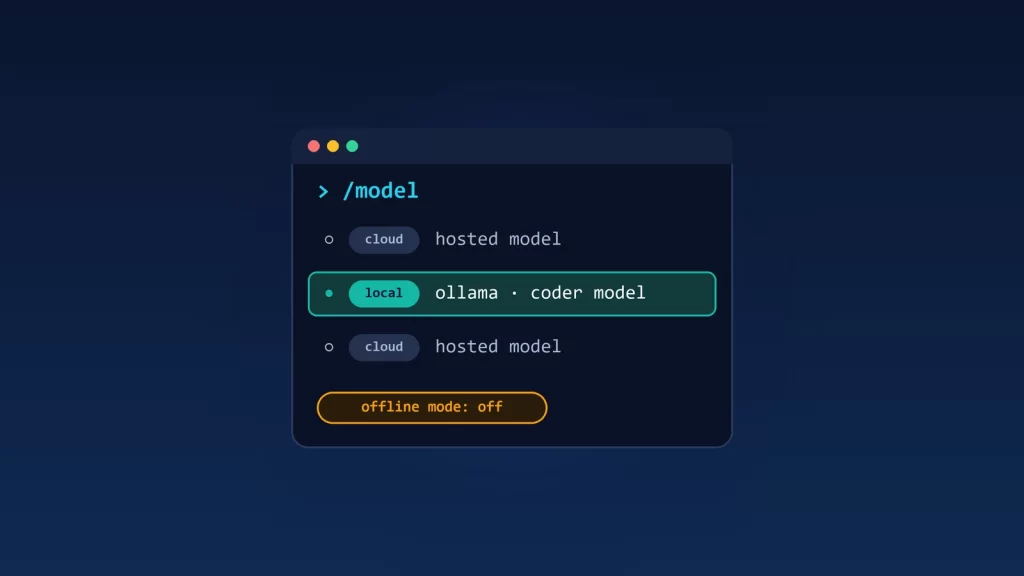
GitHub Copilot CLI can now find the models in your local Ollama install and switch to one from its /model picker. When you do, the model’s inference runs on your machine. That’s all it changes. Copilot still contacts GitHub and sends telemetry unless you separately turn on offline mode, and an Ollama “cloud” model isn’t local at all. GitHub’s announcement says it plainly: “Choosing a local model doesn’t turn on offline mode or disable GitHub telemetry.” A local model and an offline workflow are two different settings.
What changed on October 7
According to GitHub’s changelog, starting with Copilot CLI version 1.0.94-0, /model lists supported models from a running Ollama instance alongside GitHub’s own cloud models. A few details matter:
- Nothing is added automatically. You pick a discovered model, review its provider and endpoint, then choose Add and use for this session or Add without switching. No restart needed.
- Nothing is installed for you. Ollama and the model must already be on your machine. The CLI doesn’t install a runtime or download models.
- Not every model qualifies. Models must support tool calling and streaming. GitHub’s provider documentation adds that Copilot CLI returns an error otherwise, and that “for best results,” you should use a model with a context window of at least 128k tokens.
Using Ollama with Copilot CLI wasn’t new: since April you could point it at any OpenAI-compatible endpoint with environment variables. What’s new is the discovery inside the picker.
Who does what
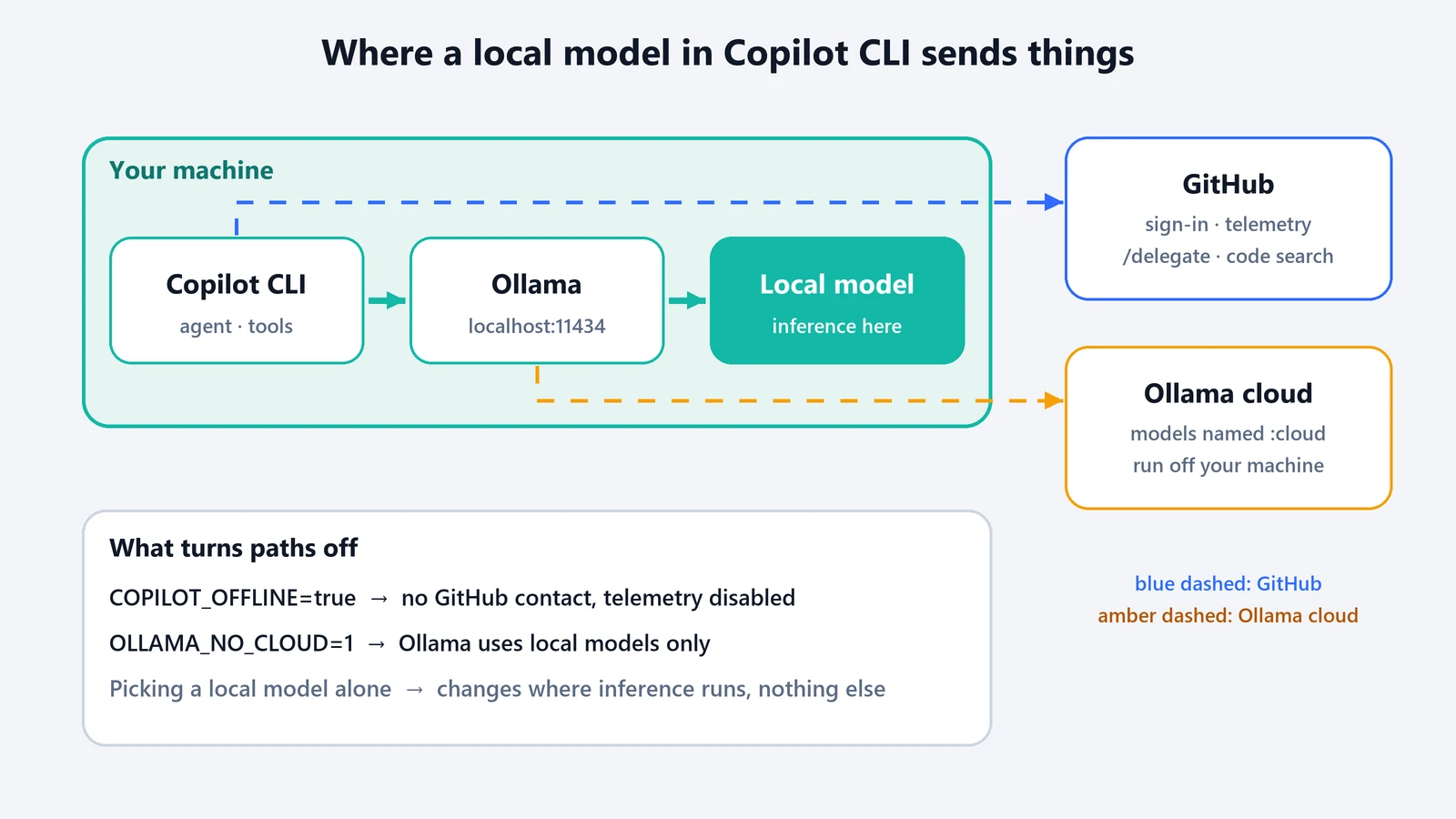
Three pieces are involved, and only one of them is the model:
- Ollama runs the model on your computer and serves it on
localhost:11434through an OpenAI-compatible API. - Copilot CLI is the agent. It builds the prompts, includes your code as context, decides which tools to run (shell commands, file edits, MCP servers) and executes them on your machine.
- GitHub’s services handle sign-in, telemetry and GitHub-hosted features. GitHub’s authentication docs list
/delegate(which hands work to Copilot’s cloud agent), the GitHub MCP server and GitHub code search as features that need a GitHub login.
Switching to a local model moves the first job, inference, onto your machine. It doesn’t remove the other two.
Local model, offline mode and everything in between
GitHub’s docs describe each combination. Here’s what they say happens in each case:
| Setup | Where inference runs | Contacts GitHub? | GitHub telemetry | Prompts and code go to | Fully offline? |
|---|---|---|---|---|---|
| GitHub-hosted model (default) | GitHub’s model provider | Yes | On | GitHub’s model service | No |
| Local Ollama model, signed in to GitHub | Your machine | Yes | On | Your local Ollama | No |
| Local Ollama model, no GitHub login | Your machine | For telemetry | On (“sent normally”) | Your local Ollama | No |
Local Ollama model + COPILOT_OFFLINE=true |
Your machine | No | “Fully disabled” | Your local Ollama only | Yes, if the model is truly local |
| Remote provider (OpenAI, Azure, Anthropic) + offline mode | That provider | No | Disabled | That provider, over the network | No |
The offline row is the only fully offline one. GitHub’s docs say offline mode means “no GitHub authentication is attempted,” the CLI “only makes network requests to your configured BYOK provider,” and telemetry is fully disabled. They’re equally clear about the limit: offline mode “is only fully air-gapped if your BYOK provider is local.” It also costs you the GitHub-hosted features, since those need GitHub’s servers.
The Ollama catch: cloud models
Ollama isn’t purely local anymore either. It offers cloud models, with names like gemma4:cloud, that you use through the same app and CLI but that run on Ollama’s servers. Ollama says it processes those prompts and responses to provide the service, without storing them or training on them. Still, if the model you select is a cloud model, your code leaves your machine, whatever Copilot’s offline setting says. We couldn’t confirm from GitHub’s documentation whether Copilot’s picker lists Ollama cloud models. The safe route is to check the model name, or switch Ollama to local-only mode with OLLAMA_NO_CLOUD=1.
When “local” actually helps
- It helps privacy when the model is genuinely local and offline mode is on. Then your prompts and code stay on your machine, and GitHub isn’t contacted at all.
- It helps partly with a local model while you’re signed in. Your code isn’t sent to a cloud model, but the CLI still talks to GitHub and sends telemetry, and any GitHub-hosted feature you use works through GitHub’s servers.
- It doesn’t help if the model is an Ollama cloud model or a remote BYOK endpoint, even with offline mode on.
- It doesn’t change what the agent can do on your machine. A local model running shell commands has the same access as a cloud model running them. That’s a sandboxing question, not a model question.
The practical limits of a local coding model
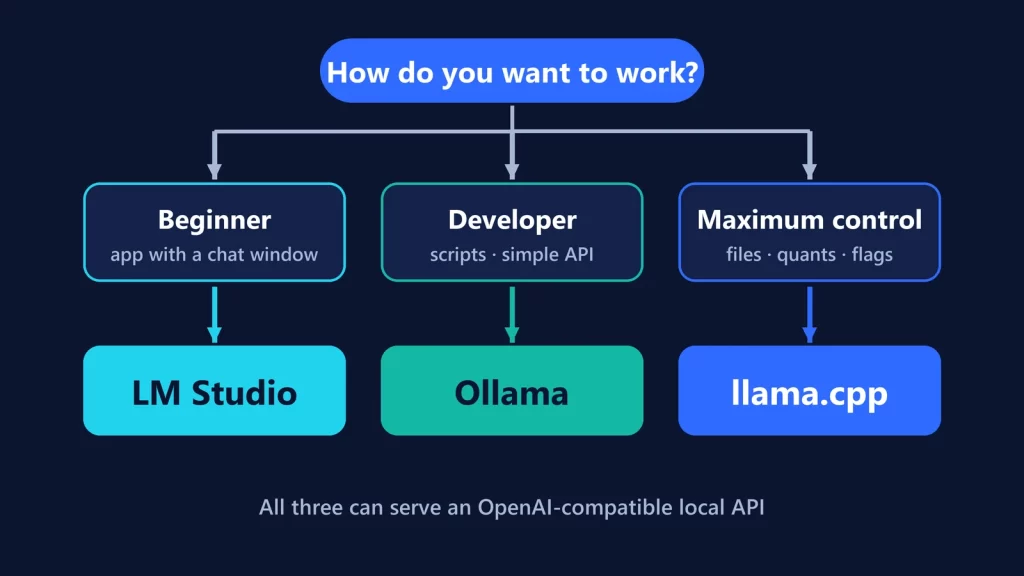
Running the model locally makes your hardware the bottleneck. Copilot asks for tool calling, streaming and ideally a 128k-token context. Ollama’s default context on machines with less than 24 GiB of video memory is just 4k tokens. Ollama recommends at least 64,000 for coding tools, and warns that a larger context “will increase the amount of memory required.” So check two things: that the model you pick supports tools, and that your context setting is big enough for an agent, which is exactly where memory runs out. We worked through those numbers in what AI you can run with 16 GB of RAM, and compared Ollama with its alternatives in Ollama vs LM Studio vs llama.cpp.
On Windows, Ollama isn’t the only OpenAI-compatible option. GitHub’s provider docs also list Microsoft’s Foundry Local, one of the three stacks in our Windows local-AI guide.
A checklist for a genuinely local setup
- Install Ollama and pull a model that supports tool calling. Confirm it’s not a cloud model.
- Raise Ollama’s context length to what an agent needs, within your memory.
- Pick the model through
/model, or setCOPILOT_PROVIDER_BASE_URLto your local Ollama. - Set
COPILOT_OFFLINE=trueif GitHub mustn’t be contacted, and accept losing the GitHub-hosted features. - Optionally set
OLLAMA_NO_CLOUD=1so Ollama can’t reach its cloud models either.
GitHub changelog and documentation, and Ollama documentation, checked on October 9, 2026.