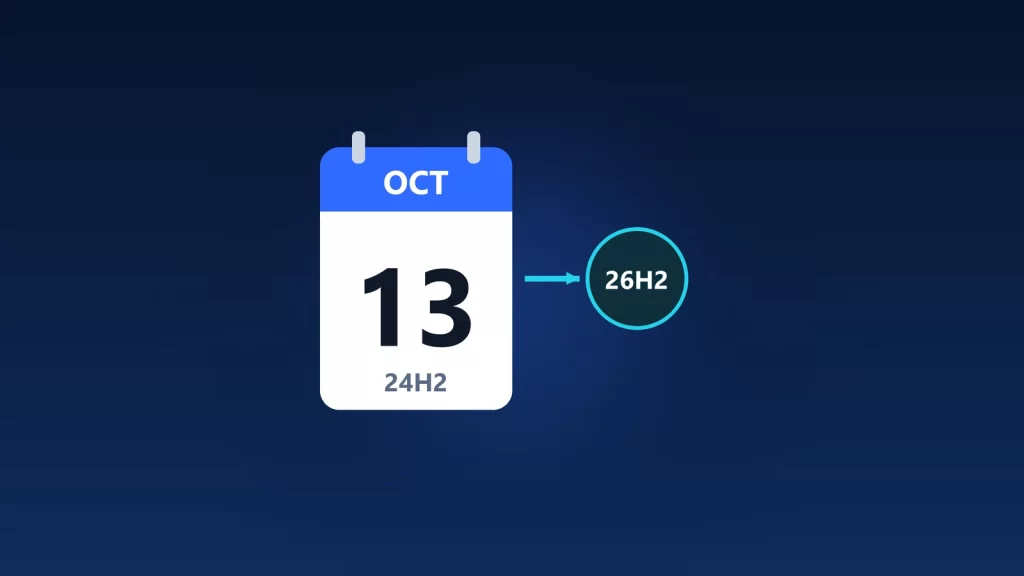
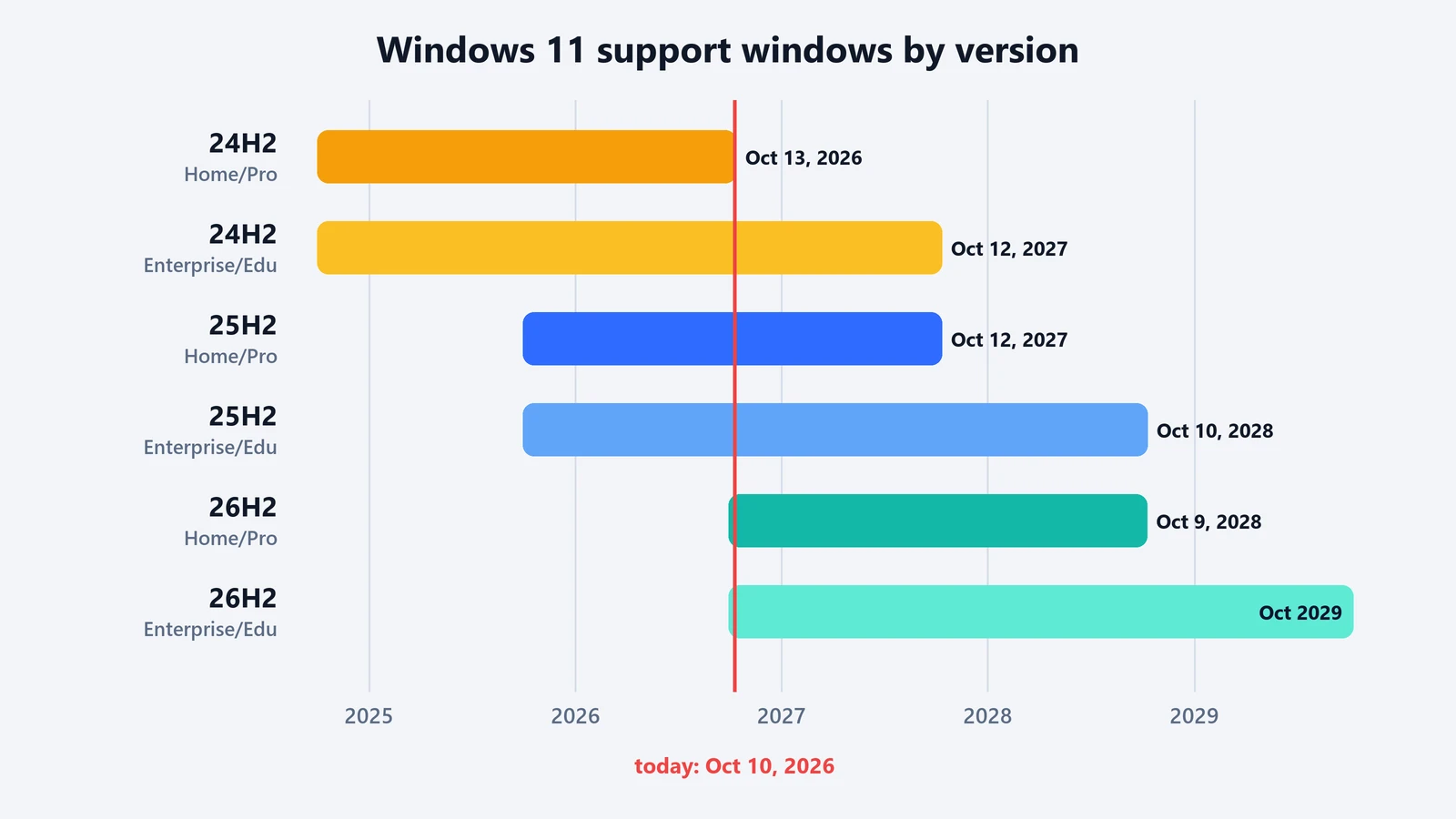
Windows 11 version 24H2 stops getting security updates on October 13, 2026, if your PC runs the Home or Pro edition. That day’s Patch Tuesday update is the last one. After that, the PC keeps working, but new Windows vulnerabilities stay unpatched on it. The fix is a normal Windows update: moving to 25H2 or 26H2 is a small download and a single restart on a 24H2 PC, not a reinstall. Enterprise and Education editions of 24H2 get another year, until October 12, 2027.
What exactly ends on October 13
Microsoft’s release health page for 24H2 lists what stops for Home and Pro: “fixes for known issues, time zone updates, technical support, or monthly security and preview updates.” Nothing switches off. Microsoft’s lifecycle table writes the end date as October 14 at 6:59 a.m. Pacific time, which is simply the end of October 13 in Redmond.
The date depends on your edition:
| Windows 11 version | Home, Pro, Pro Education, Pro for Workstations | Enterprise, Education |
|---|---|---|
| 24H2 | October 13, 2026 | October 12, 2027 |
| 25H2 | October 12, 2027 | October 10, 2028 |
| 26H2 | October 9, 2028 | October 2029 |
Dates are the last day of support, converted from Microsoft’s Pacific-time end dates. One edition gets no extension at all: Microsoft says 24H2 “was the last supported version for Windows 11 SE,” the education edition for low-cost laptops, so October 13 is its last update too.
Check which version you have
- Press Windows + R, type
winverand press Enter. The window shows the version, such as “Version 25H2,” and the OS build. - Or open Settings > System > About, where Microsoft’s support page says to look under Windows specifications for the edition and version.
If it says 24H2 and the edition is Home or Pro, keep reading. If it already says 25H2 or 26H2, you’re covered.
Why the upgrade is small
On older Windows releases, a version upgrade meant reinstalling the operating system. Not here. Versions 24H2, 25H2 and 26H2 “share a common servicing branch and underlying codebase,” Microsoft says, so most of the newer code is already on a 24H2 PC through monthly updates. The move to 26H2 is an enablement package: a small update that switches those features on. Microsoft describes installation as “similar to a monthly update, requiring only a small download and a quick restart.”
Installing a newer version also resets the clock: 24 months of support for Home and Pro, and 36 for Enterprise and Education.
How to update
- Open Settings > Windows Update and select Check for updates.
- If you see an option to download and install Windows 11, version 26H2 (or 25H2), select it and restart when convenient.
- To get 26H2 as early as possible, Microsoft says to turn on Get the latest updates as soon as they’re available on the same page.
Doing nothing is also an option on most home PCs. Microsoft says Home and Pro PCs on 24H2 “that are not managed by IT departments will receive the Windows 11, version 25H2 update automatically,” and you can pick the restart time or postpone it. That page was last updated in March, before 26H2 came out on September 29. Either version keeps you supported.
If the update doesn’t appear
- Your PC might be on hold. Microsoft rolls 26H2 out gradually and “might place safeguard holds on devices where we detect a known compatibility issue.” A hold usually means waiting for a fix, often a driver. The release health page lists the known issues.
- A work or school PC follows IT policy. If an organization manages it, the update arrives when IT decides, and Enterprise or Education editions are supported until October 2027 anyway.
- You can install it manually. Microsoft’s download page, now on 26H2, offers the Windows 11 Installation Assistant. It runs only on x64 PCs, not Arm-based ones, which should wait for Windows Update.
One version you won’t be offered: 26H1. Microsoft says it’s scoped to new devices that launched in early 2026 and “is not offered as an in-place update from 24H2 or 25H2.”
What if you stay on 24H2?
The PC keeps running, and your apps and files are unaffected on October 14. What changes is that every Windows security flaw found after October 13 stays open on that machine. For a PC that browses the web, opens email attachments or runs AI tools, that risk grows each month. The update costs a restart. Staying put costs every future patch.
There’s also a forward-looking reason. Newer Windows features increasingly assume a current version. Several of the local AI pieces we covered in our Windows local AI guide, such as Foundry Local and Windows ML’s hardware-specific acceleration, already require 24H2 or later.
Microsoft lifecycle, release health and Windows blog pages checked on October 10, 2026.