Opening a project folder with an AI coding agent could run code hidden in that folder before you typed a single prompt. Security firm Manifold Security calls the problem GitSpawn. Coding agents run ordinary git commands in the background to understand a project, and git obeys settings in the repository’s own .git/config, including settings that name a program to run. Manifold reported eight findings across seven agents, including Claude Code, OpenAI’s Codex, Cursor and Goose. Some are fixed; four were still open when it published on September 1. The model never decided anything here: the agent’s own plumbing ran the command, outside the sandbox and before any approval prompt.
How a git setting becomes a program launch
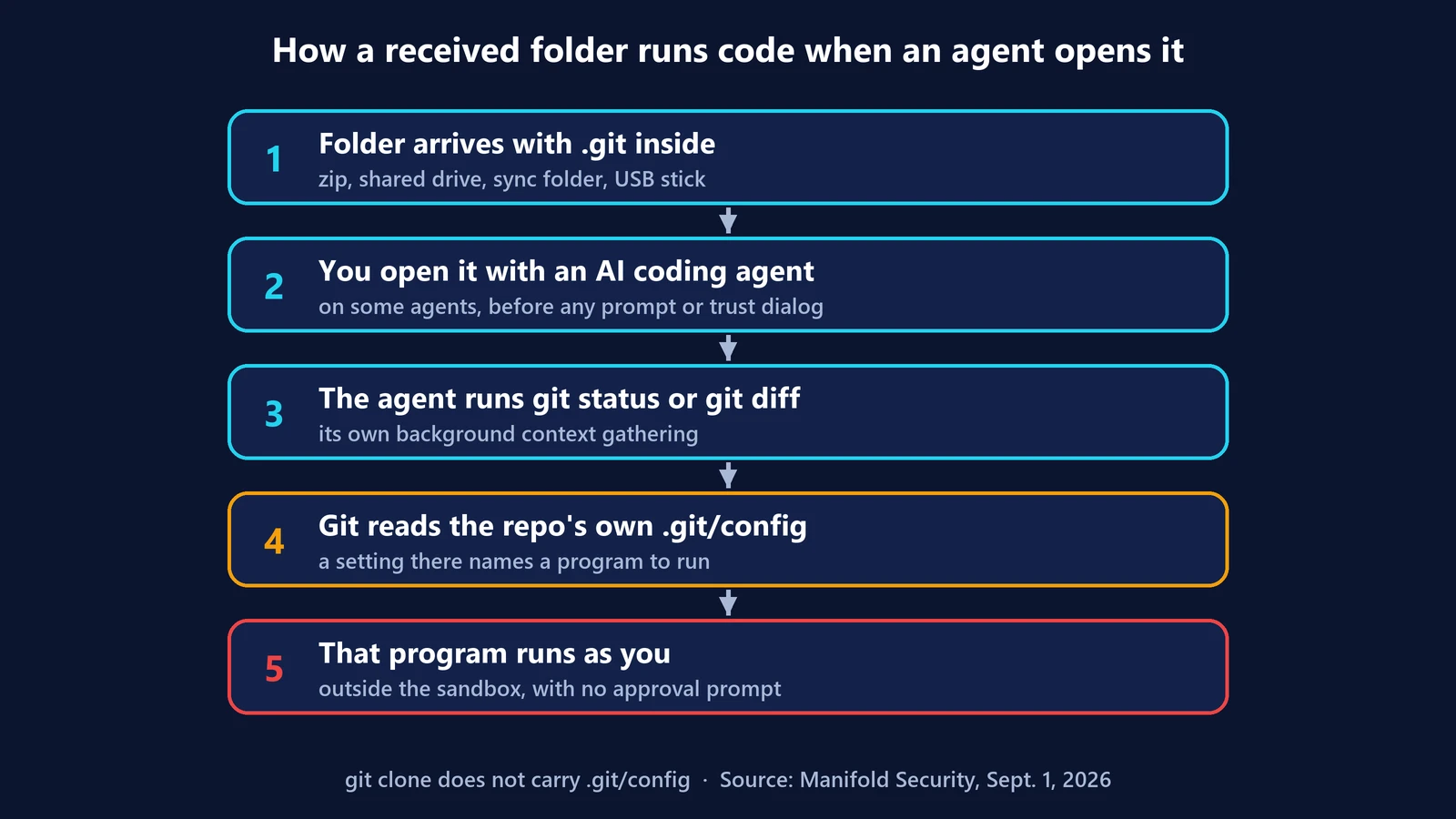
When an agent opens a folder, it gathers context: which branch you’re on, what changed, which files are tracked. It does that with commands like git status and git diff, the same ones you’d type yourself.
Many of those commands make git refresh its index first. And git has a performance option, core.fsmonitor, for very large repositories. Instead of scanning every file, git asks a helper program what changed, and runs that program during the refresh. That’s documented, intended behavior. The catch, as Manifold’s write-up explains, is that “git reads that setting from the repository’s own .git/config.” If a repository names a program there, any index-refreshing git command runs it.
So the chain is short:
- You open a folder with an agent.
- The agent runs a background git command to gather context.
- Git refreshes the index and runs the program named in the folder’s own config.
- That program runs as you, with your permissions.
Manifold notes that core.fsmonitor “is not the only setting of its kind.” One of its findings uses a different git setting, which it left unnamed while the bug remained unpatched.
Why the agent’s safety features didn’t help
This is the part that makes GitSpawn worth understanding, even if your agent is patched:
- It happened before the trust prompt. In Claude Code, Manifold’s command ran “before the workspace-trust prompt was accepted.” In Qwen Code, it ran before the user had even signed in.
- It ran outside the sandbox. The git call is the agent’s own subprocess, not a tool the model asked for, so Manifold says the command “runs outside the sandbox, without an approval prompt. The permission model never sees it.”
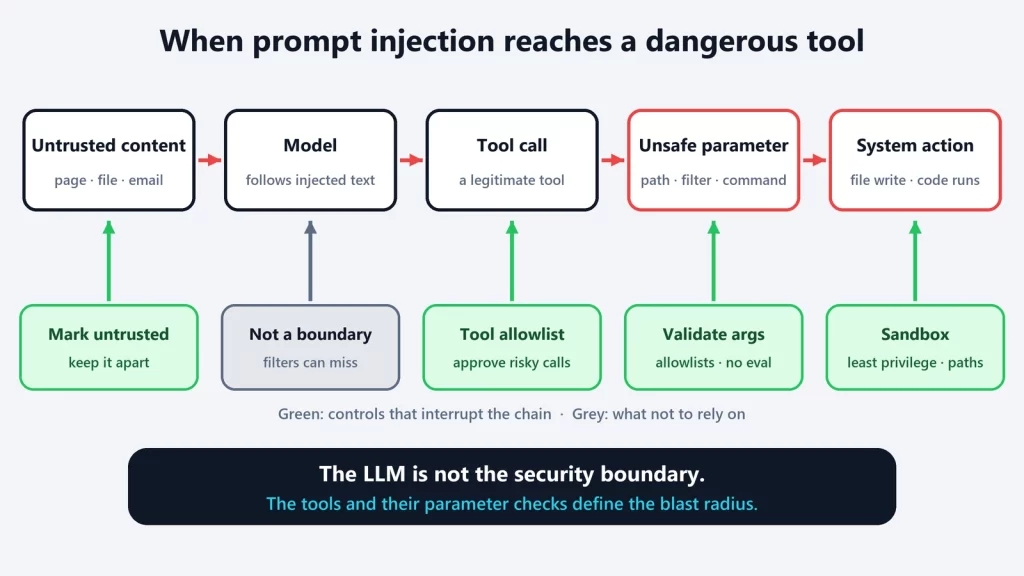
- No model was involved. There was no prompt injection and no model decision. The flaw sits in context-gathering code that runs before the model does anything.
That’s the same blind spot we flagged in why sandboxing an AI coding agent matters. GitHub’s own documentation for Copilot’s sandbox warns that the CLI process itself isn’t sandboxed. A sandbox constrains the commands an agent runs on the model’s behalf. It can’t constrain code the agent runs for itself.
How a malicious repository reaches you
Here’s the reassuring detail: a normal git clone doesn’t deliver this. Manifold is precise about it: “Cloning a hostile URL does nothing, and neither does fetch or pull.” Git never transfers a repository’s .git/config when you clone.
The folder has to arrive with its .git directory already inside: “a shared .zip, a shared drive, a sync folder, a USB stick.” Colleagues and contractors pass projects around this way all the time, which is what makes the vector realistic.
Git does have an older protection, safe.directory. According to the git documentation, git refuses to read the config of a repository “owned by someone other than the current user.” But a folder you extract from a zip is owned by you, so, by our reading, that check doesn’t apply here.
Which agents were affected
| Agent | Status at Manifold’s publication (Sept. 1, 2026) |
|---|---|
Claude Code (start-up git status) |
Patched in 2.1.196 |
Claude Code (claude ultrareview path, different git setting) |
Unpatched; confirmed on 2.1.252 |
| OpenAI Codex | Patched |
| Cursor | Patched |
| Goose | Patched in 1.44.0 (CVE-2026-72718) |
| Qwen Code | Unpatched; confirmed on 0.22.3 |
| Grok Build | Unpatched; confirmed on 1.0.13 |
| Hermes Agent | Unpatched; confirmed on 0.21.0 (CVE-2026-71963) |
Manifold also says it “found the same flaw in other agents not named here.” As of October 10, we couldn’t find vendor statements confirming fixes for the four open findings, so check your own agent’s release notes and advisories rather than assuming.
What to do
If you use coding agents:
- Update your agent and keep it updated. Several fixes have already shipped.
- Prefer cloning to receiving folders. If someone sends a project as a zip or shared folder, ask for a repository URL instead, or clone a fresh copy.
- Inspect received folders first. Before opening one with an agent, look at
.git/configin a plain text editor. Manifold’s advice: “Any setting that names a program can run it.” If you don’t need the history, deleting the.gitfolder from the received copy removes the problem entirely. - Don’t treat the trust prompt as a guarantee. In these cases the code ran before it appeared.
If you build an agent or developer tool:
- Sanitize git configuration on background calls. Manifold’s example is to override the setting on the command itself, as in
git -c core.fsmonitor=false status. - Treat every artifact the agent opens as untrusted input, not just the text the model reads. That includes repositories, config files, plugins and MCP server definitions. It’s the same lesson as the Semantic Kernel vulnerabilities: the dangerous step is where data turns into execution, not where the model reasons.
- Put your own subprocesses inside the sandbox too, or run context gathering with the narrowest possible configuration.
The lesson is broader than git. Manifold puts it this way: “Skills, MCP servers, and plugins arrive as files, carry their own configuration, and are trusted on arrival for the same reason a repository is.” Anything an agent opens can carry instructions for the tools underneath it.
Manifold Security’s disclosure and the git documentation checked on October 10, 2026.