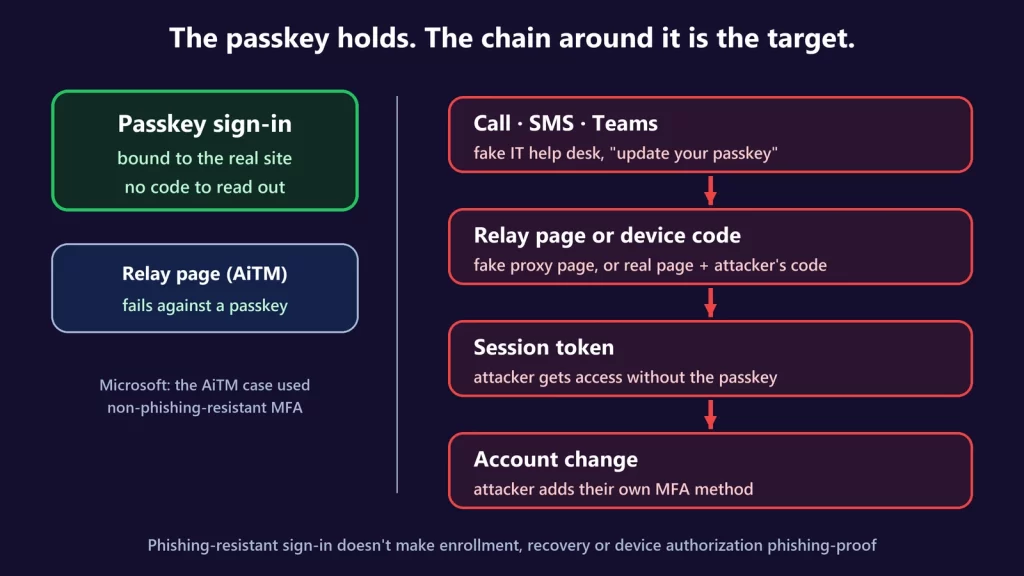
Passkeys are hard to phish, so attackers have stopped trying to steal them and started using them as the cover story. In campaigns Microsoft documented in September 2026, callers posing as the company help desk told employees they had to “update” a passkey, MFA or single sign-on setting right away. They then walked the employees either through a fake sign-in page that relays the login, or through a real Microsoft page where the employee typed in a code that handed a session to the attacker. Microsoft’s wording is precise: “passkey enrollment is often not the actor’s true objective.” The passkey was the story, not what got stolen. The lesson isn’t that passkeys failed. It’s that phishing-resistant sign-in doesn’t make everything around it phishing-proof.
Why passkeys resist phishing
A passkey is a key pair. The private key stays on your phone, computer, password manager or security key; the website only stores the public key. When you sign in, your device signs a challenge from the site. Two properties make that hard to phish:
- Nothing reusable to type. There’s no password or one-time code for you to read out or enter on the wrong page. The FIDO Alliance, which writes the standard, says passkeys are “designed so that there are no shared secrets.”
- Bound to the real site. Each passkey is created for one specific site and account. Google’s developer documentation puts it plainly: passkeys “work only on their registered websites and apps; a user cannot be tricked into authenticating on a deceptive site because the browser or OS handles verification.” On a lookalike domain, the right passkey simply doesn’t show up.
That second point is what passwords and SMS codes lack. A person can be convinced to type a code anywhere. A browser won’t hand a passkey to the wrong domain.
What the attackers did instead
Microsoft’s September 9 report describes activity seen since May 2026, and attributes the initial access to several groups, including ones tied to the ShinyHunters, Falcon and Helix extortion operations. The opening is old-fashioned:
- Research. The attackers study the company and its employees, probably from public sources such as professional networking sites.
- The call or text. Someone claiming to be from the IT help desk contacts the employee, often on a personal phone, and says a passkey, MFA or SSO setting must be updated immediately “to avoid disruption.” A link arrives by SMS. In some cases, the message came through Microsoft Teams from an already compromised colleague’s account.
- A convincing address. The links use the company’s name as a subdomain of an attacker’s domain, built around words like “passkey,” “SSO” or “key setup.” At a glance it looks like the company’s own sign-in portal.
From there, Microsoft saw two main paths.
Path 1: a relay page (adversary-in-the-middle)
The lookalike page sits between the employee and the real Microsoft sign-in, passing everything through. The employee signs in and completes MFA, and the attacker captures the credentials and the resulting session. In the timeline Microsoft published for one case, the key line is the MFA step: “AiTM with non-phishing resistant MFA.” The second factor was a kind that can be relayed, like a one-time code or a push approval. A passkey wouldn’t have worked on that relay page, by design, because the page’s domain isn’t the one the passkey belongs to.
Path 2: device code phishing
This one is subtler. The device code flow exists so you can sign in to a TV, a printer or a conference-room device: the device shows a short code, and you enter it on a real Microsoft web page on your phone or computer. In the attack, the attacker starts that flow on their own machine and gets the employee to enter the code. As Microsoft explains, the employee enters it “on the legitimate Microsoft authentication page,” and “this approval issues a token to an attacker-controlled client.”
Here’s why that matters for passkeys. Nothing in this flow is fake. The page is real, so a passkey would work on it, exactly as designed. The passkey proves who you are to the real site. It can’t tell whether you meant to authorize someone else’s device. That’s our reading of the mechanism, and it’s why Microsoft’s Conditional Access documentation calls the device code flow “a high-risk authentication method that can be part of a phishing attack” and recommends “blocking device code flow wherever possible.”
Then: persistence
Once inside, the attackers’ first move was usually to register an authentication method of their own: a new phone number, authenticator app or software token. That’s an account change, made with a legitimate session, that lets them pass future MFA prompts without the victim. Then came reconnaissance through Microsoft Graph and downloads from SharePoint, OneDrive and Exchange.
Where the identity chain is weak
Line those steps up and a pattern appears. The passkey itself was never the failure point. The weak links were everything around it:
- The person, reached through a phone call or text that the company’s security tools never see. Microsoft notes that the employee’s memory of a call “becomes the earliest and sometimes the only evidence.”
- Weaker methods still allowed next to the passkey, such as codes or approvals that a relay page can capture.
- Authorization flows like device code, which hand access to another device by design.
- Enrollment and recovery: adding a new sign-in method, or a help desk resetting one. If an attacker can register their own factor, or talk a help desk into a reset, origin binding never comes into play. Microsoft’s own recovery tool for a lost passkey, the Temporary Access Pass, is a time-limited code that an administrator issues. It’s only as strong as the identity check made before issuing it.
None of this makes passkeys weak. Microsoft’s top recommendation in the same report is still to enforce phishing-resistant MFA such as passkeys. The point is that phishing-resistant authentication protects one step. An identity has a lifecycle: enrollment, sign-in, sessions, device authorizations, recovery. Each step needs its own protection.
What to watch for
- Treat any unsolicited “update your passkey” instruction as suspect, whether it’s a call, a text, an email or a chat message, even from a familiar name.
- Go to your security settings yourself. Open the account or company portal from a bookmark or by typing the address, never from the link you were sent. Real passkey changes are something you start, not something you’re walked through by a caller.
- Verify the help desk through an official channel. Hang up and call the number your company publishes, or open a ticket the usual way.
- Read device sign-in prompts carefully. If a page asks you to enter a code to sign in “a device” and you didn’t just start signing in on a TV, printer or similar device yourself, stop.
- Protect your recovery methods too: the phone number, backup email and recovery codes that can reset your account.
What IT teams should lock down
Microsoft’s mitigation list is long. These are the steps aimed at the gaps above:
- Require phishing-resistant MFA, such as passkeys or Windows Hello for Business, through Conditional Access, so a relay page has nothing it can use.
- Block the device code and authentication transfer flows except where there’s an explicit business need.
- Protect security-info registration: require a fresh interactive sign-in, managed devices or trusted locations and phishing-resistant MFA to add a method, and block registration on high-risk sign-ins.
- Verify identity rigorously before any help-desk credential or MFA reset, and alert on every such reset.
- Watch for new authentication methods on accounts with unusual sign-ins, and remove unauthorized ones after confirming with the user.
- Give employees a verified channel to report unsolicited authentication requests.
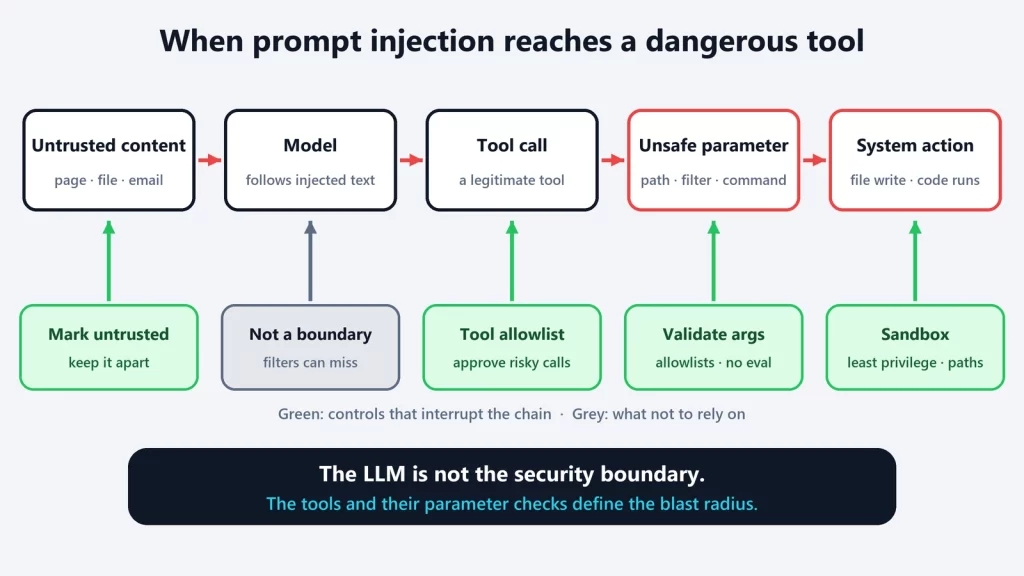
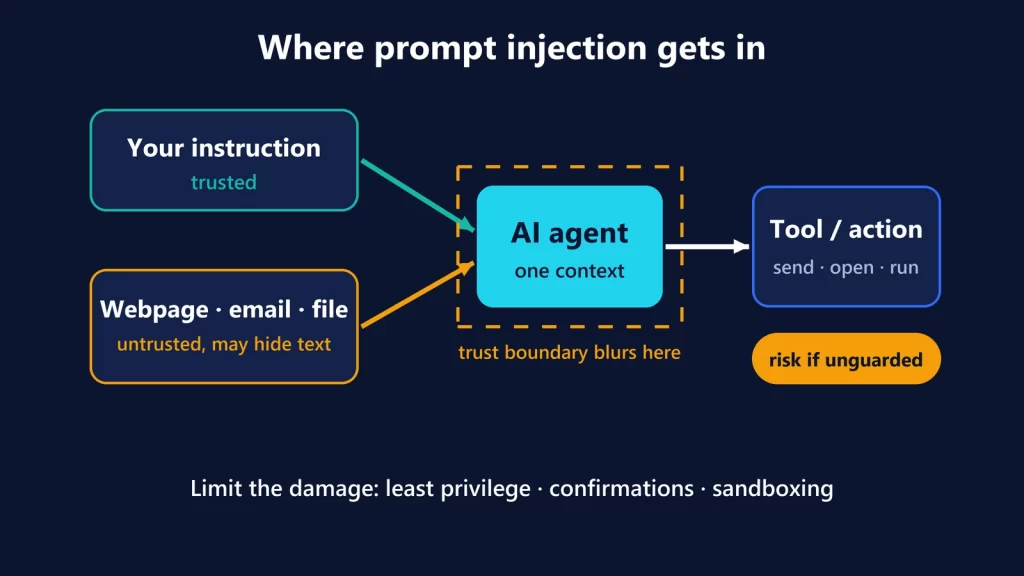
Attackers go after whatever has to trust a request it can’t verify. With passkeys, that’s no longer the login page. It’s the person on the phone, and the processes that let someone add or reset a way in. It’s the same pattern we see with AI agents, where prompt injection works like social engineering against software that trusts what it reads.
Microsoft, FIDO Alliance and Google documentation checked on October 9, 2026.